
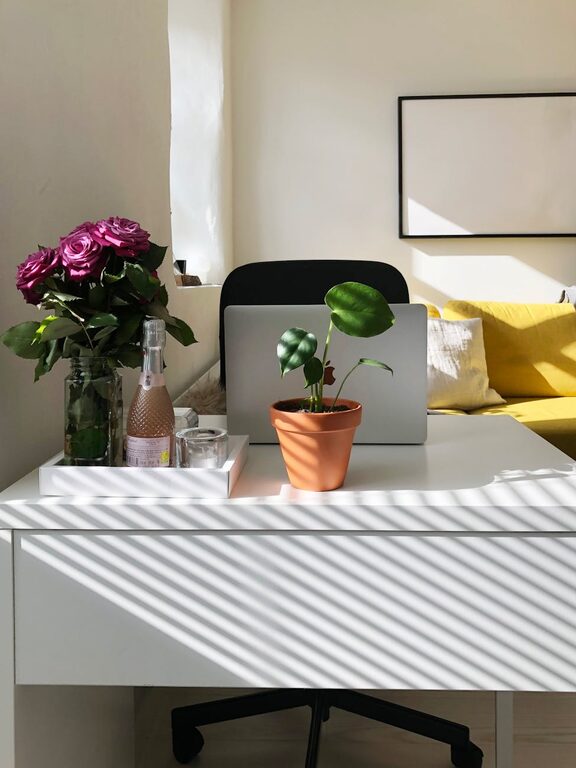
Creating a home workspace that feels relaxing and comfortable can significantly improve your productivity. When your environment supports focus and reduces stress, you’re more likely to enjoy your work and accomplish tasks efficiently. Whether you’re working remotely full-time or occasionally from home, these tips will help you design a space that promotes both comfort and productivity.
Why a Relaxing Workspace Matters
Your workspace plays a big role in how you feel throughout the day. A cluttered, uncomfortable, or noisy environment can increase stress and distract you from your goals. On the other hand, a well-organized and soothing space helps you stay calm and focused. This balance enhances creativity, reduces fatigue, and encourages better work habits.
1. Choose the Right Location
Start by selecting a dedicated area in your home for work. Ideally, this spot should be quiet, well-lit, and separate from high-traffic zones. A corner of a spare room, a section of your bedroom, or even a converted closet can become an effective workspace. The key is consistency—using the same area daily helps signal your brain that it’s time to focus.
Tips for the ideal location:
– Avoid spaces with heavy foot traffic or loud noises.
– Select an area with plenty of natural light if possible.
– Ensure there is enough room for your equipment and to move comfortably.
2. Invest in Comfortable Furniture
Comfort is crucial for maintaining focus throughout the workday. A good chair that provides proper lumbar support reduces back pain and improves posture. Your desk should be at a height that allows your arms to rest naturally, minimizing strain on shoulders and wrists.
Recommended furniture features:
– Adjustable chair with good back support.
– Spacious desk with room for your computer and other essentials.
– Footrest or mat if your feet don’t touch the floor comfortably.
3. Optimize Lighting
Lighting influences both mood and efficiency. Natural daylight is excellent for reducing eye strain and improving alertness. If natural light is limited, use adjustable warm white LED lights to create a soothing atmosphere.
Lighting tips:
– Position your desk near a window to take advantage of daylight.
– Use a desk lamp with adjustable brightness for focused tasks.
– Reduce glare on your screen by controlling window shades or using anti-glare filters.
4. Keep Your Workspace Organized
Clutter can hinder concentration. Establish systems to keep your workspace tidy and organized. Use storage boxes, shelves, or filing cabinets to store documents and supplies.
Organization ideas:
– Use cable management tools to avoid tangled cords.
– Keep frequently used items within easy reach.
– Declutter your desk at the end of each day.
5. Add Soothing Elements
Incorporating calming elements can enhance relaxation and reduce stress. Adding plants improves air quality and brings a touch of nature indoors. Aromatherapy with subtle essential oils like lavender or eucalyptus may also promote calmness.
Suggestions for a relaxing ambiance:
– Small potted plants or succulents.
– Soft, neutral colors on walls and decor.
– Noise-canceling headphones or white noise machines if needed.
6. Personalize Your Space
Personal touches can make your workspace inviting and motivating. Display a few favorite photographs, inspirational quotes, or artwork that makes you happy.
Personalization tips:
– Avoid overcrowding; keep decor minimal but meaningful.
– Use colors and items that inspire creativity and calm.
– Rotate items occasionally to keep the space fresh.
7. Set Boundaries and Routine
To maintain a healthy work-life balance, set clear boundaries around your workspace and work hours. Creating a routine helps your brain distinguish between work time and relaxation.
How to build good habits:
– Start and end your workday at consistent times.
– Use your workspace only for work-related activities.
– Take regular breaks to stretch or relax away from the screen.
8. Manage Technology Wisely
Technology is essential but can also be a source of distraction. Use apps or settings to minimize notifications during focus periods. Also, make sure your equipment is reliable to avoid unnecessary frustration.
Tips for tech management:
– Turn off non-essential notifications.
– Use a high-quality keyboard and mouse for comfort.
– Keep your software updated for smooth performance.
Final Thoughts
A relaxing home workspace is a blend of thoughtful design, comfort, and personal touches. By creating an environment tailored to your needs, you can improve both your productivity and your overall well-being. Remember, small changes can make a big difference. Take time to arrange your workspace in a way that feels inviting and supports your best work.
With these tips, you’re well on your way to building a workspace that works for you—calm, comfortable, and productive. Happy working!